
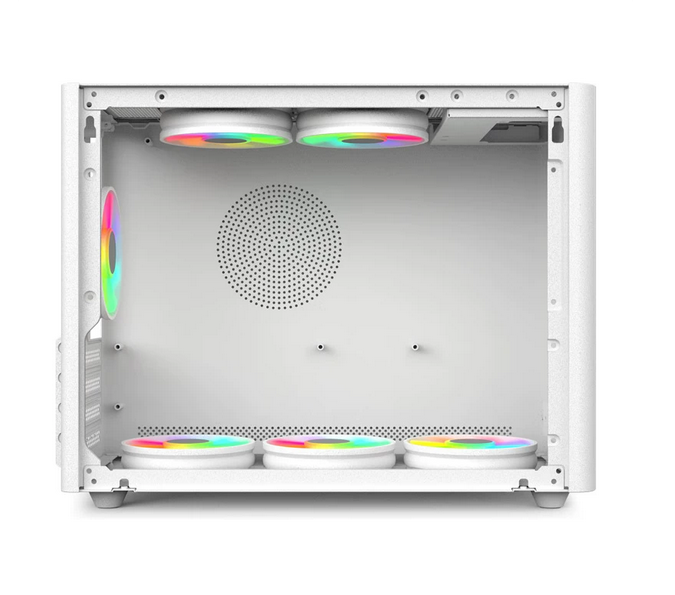
Small Case, Big Power: Micro ATX Build Guide & Cooling Tips
The Mini Tower PC Case has become the ultimate sweet spot for modern PC builders. It offers the perfect balance between the massive footprint of a traditional ATX tower and the frustratingly tight quarters of a Mini-ITX build. For DIY beginners and space-conscious users, a Micro ATX Mini Tower provides a compact aesthetic without sacrificing the versatility of standard components.
However, building in a smaller footprint requires a slightly different approach. In this guide, we’ll walk you through the essential steps for a smooth build and share pro-level cooling strategies to keep your system frosty.
Step-by-Step Mini Tower Build Guide
1. Prep Your Motherboard Outside the Case
Never build directly inside the case if you can avoid it. Place your motherboard on its box and install the CPU, RAM, and M.2 NVMe SSD first. Pro Tip: Install your CPU cooler now. In a Mini Tower, reaching behind the motherboard to secure a cooler after installation can be a nightmare.
2. Prep the Chassis and Install the PSU
Open up your Micro ATX Mini Tower PC Case and install the I/O shield. Next, check the motherboard standoff holes and ensure the copper standoffs match your board’s layout. Before sliding the motherboard in, install your Power Supply Unit (PSU) and pre-route the 24-pin and CPU power cables through the case. Planning your cable routing early saves hours of frustration later.
3. Mount the Motherboard
Carefully lower the motherboard into the case, aligning the I/O shield and standoff holes. Secure it with the provided screws, tightening them in a star pattern to ensure even pressure. Connect your front-panel connectors, USB headers, and pre-routed power cables.
4. Install the GPU and Final Connections
Remove the necessary PCIe slot covers on the back of the chassis. Insert your graphics card, secure it, and plug in the PCIe power cables. Double-check all connections before closing the case.
Mastering Cooling in a Micro ATX Build
One of the most common questions from new builders is: “Will my components overheat in a smaller case?” The answer lies in airflow management. Because the volume of air inside a Mini Tower is smaller, heat accumulates faster. Here is how to combat it:
Establish a Clear Wind Tunnel
Your case needs a dedicated intake and exhaust path. The golden rule is to mount intake fans at the front or bottom of the case to pull in cool air, and exhaust fans at the rear or top to push hot air out. Never mount a fan so that it blows directly into another component’s exhaust.
Cable Management is Functional, Not Just Aesthetic
In a large case, messy cables are just an eyesore. In a Micro ATX build, a tangled cable bundle can act as a physical wall, blocking airflow to your GPU and CPU. Use zip ties or velcro straps to tuck cables neatly into the dedicated routing channels behind the motherboard tray. Keep the main chamber completely unobstructed.
Choose the Right Cooler
While liquid cooling looks great, a high-quality air cooler is often the safer bet for beginners in a Mini Tower. It eliminates the risk of leaks and avoids the spatial limitations of thick radiators. If you do opt for an All-In-One (AIO) liquid cooler, ensure the chassis has adequate clearance for the radiator thickness and tubing bend radius.
Optimize Fan Curves in BIOS
Don’t let your fans run at 100% all the time. Head into your motherboard’s BIOS and set up a custom fan curve. A gentle slope that keeps fans quiet during idle or light browsing, but ramps up aggressively once the CPU hits 70°C, is the perfect balance of acoustics and thermal performance.
Building in a Micro ATX Mini Tower PC Case is a rewarding experience that teaches you the fundamentals of airflow and spatial awareness. With a little patience and smart cooling strategies, you can pack massive performance into a surprisingly small footprint. Ready to start your build? Browse our selection of premium PC cases and tech accessories at Dragon Wings to find the perfect foundation for your next rig.