
Gaming and Office in One: Reviewing the One-Handed Mechanical Keyboard & Wireless Mouse
But can a single-hand keypad really replace a traditional keyboard for daily tasks, while still delivering competitive gaming performance? We put this dynamic duo to the test to see if it’s the ultimate upgrade for your desk.
The Dragon Wings One-Handed Mechanical Keyboard: Precision Meets Customization
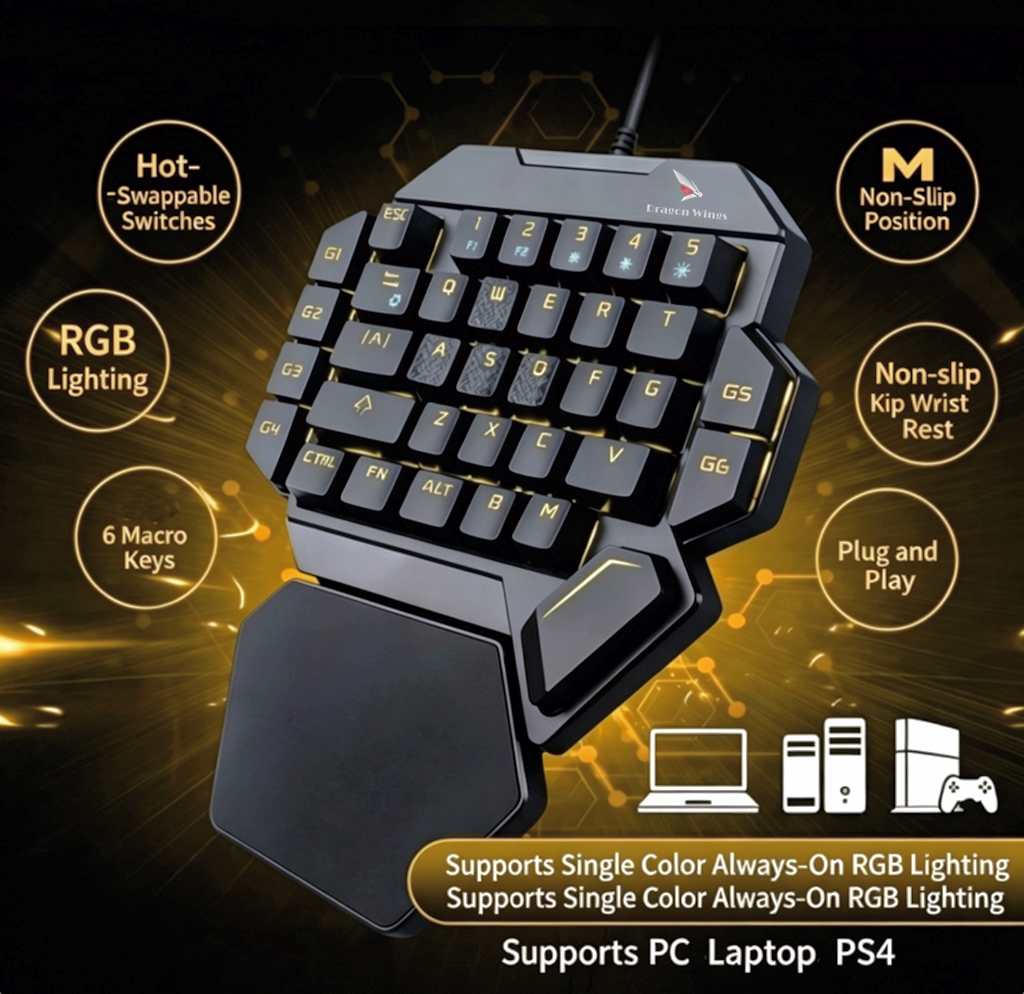
At first glance, the 35-key wired mini keyboard looks like a pure gaming peripheral, but its practicality quickly becomes apparent.
Tactile Feedback That Satisfies
Every single one of the 35 keys features anti-ghosting technology, ensuring that your inputs are registered instantly. The switches deliver a loud, crisp click with a distinct tactile bump. For gamers, this means precise actuation during intense firefights. For office workers, this strong mechanical feedback provides a highly satisfying typing rhythm that can actually boost productivity.
Macros for Work and Play
The standout feature of this keypad is the 6 dedicated macro recording keys (G1-G6). In gaming, you can map complex combos or inventory management to a single press. In an office setting, this is a game-changer for productivity. You can record repetitive tasks—like formatting tables, pasting standard email replies, or executing complex Excel shortcuts—and execute them instantly. Simply press FN + G1, input your sequence, and press FN + G1 again to save. No external software required!
Ergonomics and RGB
Gaming and working for hours can cause wrist strain, but the built-in large palm rest provides excellent support, effectively reducing fatigue. When it’s time to play, the customizable RGB backlighting brings the desk to life. You can easily adjust brightness (FN+3), switch colors (FN+5), or change lighting modes (FN+TAB) on the fly.
Pairing It With a Wireless Rechargeable Mouse
A one-handed keyboard frees up a massive amount of desk space, making it the perfect companion for a wireless mouse.
By keeping your left hand anchored on the macro keypad and your right hand on a lightweight wireless mouse, you create an incredibly ergonomic and spacious workspace. The wireless rechargeable mouse ensures you aren’t tethered by cables, allowing for smooth, unrestricted movements whether you are dragging a cursor across a 4K monitor or flicking to a target in an FPS game. Plus, with a rechargeable battery, you can say goodbye to the endless cycle of buying disposable batteries.
The Verdict: Do You Need This Combo?
The Dragon Wings One-Handed Mechanical Keyboard and Wireless Mouse combo is a revelation for both gamers and professionals.
- For Gamers: It offers a compact footprint, instant macro execution, and full N-key rollover for competitive play.
- For Office Workers: It acts as a powerful programmable shortcut pad that saves hours of repetitive clicking and typing, all while saving valuable desk real estate.
Best of all, it is completely plug-and-play. Whether you are running Windows, Mac, or Linux, simply plug in the USB and you are ready to go.
Ready to upgrade your hybrid setup? Grab the Dragon Wings One-Handed Mechanical Gaming Keyboard today for just $49.99 (down from $59.99) and experience the perfect blend of gaming precision and office efficiency.